Stream overlay builder — free maker for custom Kick layouts
Build stream overlays in the browser with full customization — Kick chat, stats, branding, and export to OBS HTML you own. The stream overlay maker for creators who outgrew packs.
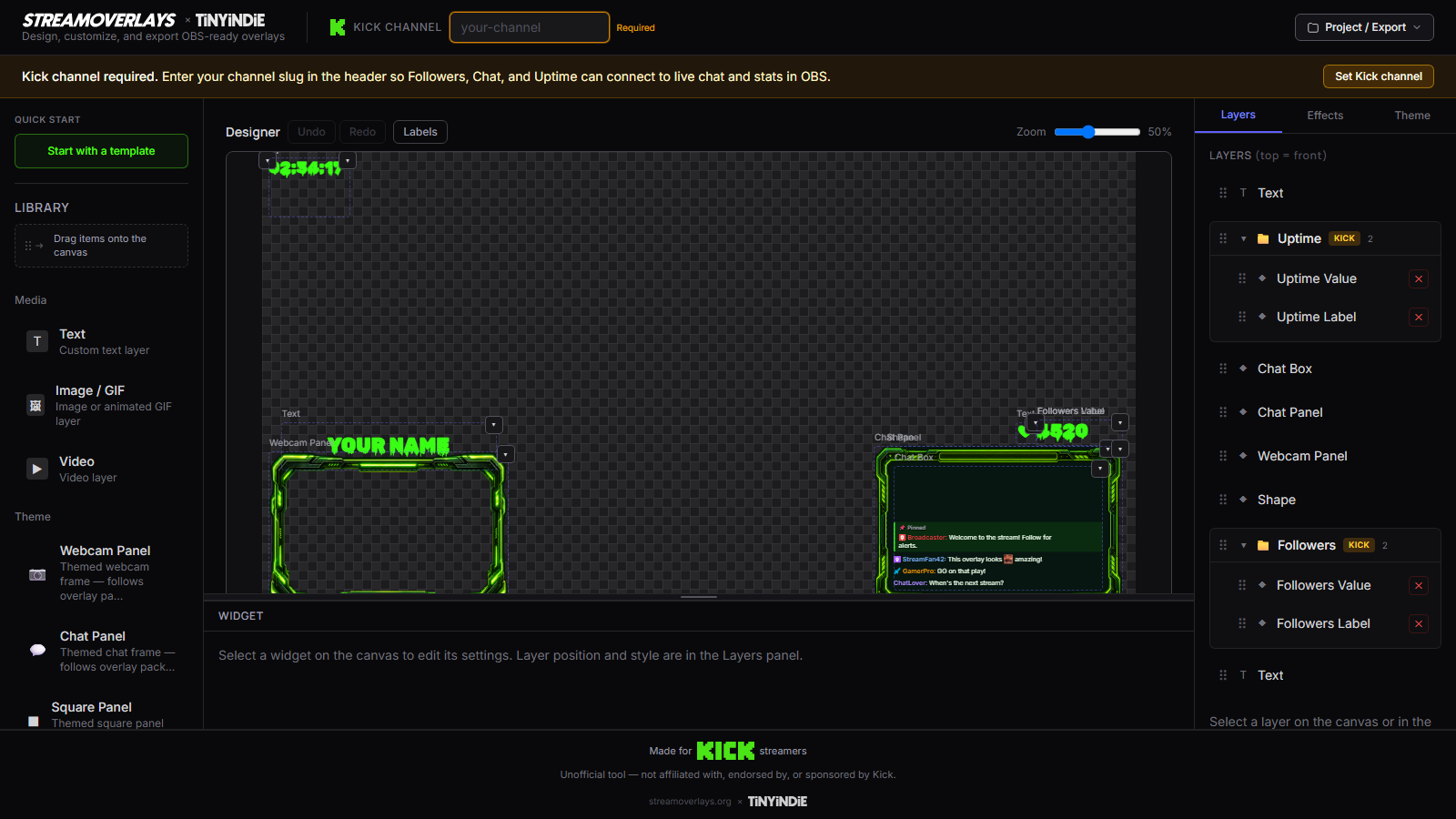
A stream overlay builder is for creators who want maker-level control — not another "stream overlay maker" landing page that secretly sells PNG bundles.
Stream Overlays is a free browser app: templates open in a real editor, you customize Kick chat layouts and branding, you export self-contained HTML for OBS. You keep the file. You re-export when your brand evolves. No pack repurchase cycle.
Stream overlay maker narrative
Searchers typing "stream overlay maker" or "overlay creator" usually want one of three things:
- Speed — template → export tonight → stream overlay generator
- Depth — branding system, multiple scenes, intentional composition → this builder page
- OBS vocabulary — Browser Source, local file, shutdown when hidden → OBS overlay builder
This page owns the maker intent: you are building a stream identity, not just generating a one-off file.
How the stream overlay builder works
- Start from a template lander or the builder — Just Chatting for face-forward streams, gaming for game + chat composition.
- Wire your Kick channel — chat, followers, viewers render live in preview so you design against real data density.
- Run a branding pass: theme hue, accent, fonts, on-screen text. Our customization guide covers what to change first.
- Compose scenes mentally — will this overlay share a scene with game capture? Size the export canvas to match how OBS will crop Browser Source.
- Export, version your files (
kick-gaming-v2.html), and point OBS Browser Source at the local path.
When to use the stream overlay builder
Choose the builder when ownership and depth beat same-day speed:
- You're building a consistent Kick brand across Starting Soon, live, and BRB scenes
- You want gaming lower-thirds and chat framed together — not a PNG frame with chat floating elsewhere
- You're the "overlay tinkerer" persona: fonts and colors matter, and you'll re-export monthly
- Paid packs feel samey; you need live Kick data inside the graphic
Make → Export → Kick without lock-in
Make the overlay — not browse a store. The builder is the product.
Export the file — HTML for OBS Browser Source. Self-contained. Backup-friendly.
Kick without lock-in — Kick-native live data, free core loop, portable file — not a cloud widget you can't take with you.
Templates are on-ramps — chat, gaming, Starting Soon — each opens preloaded so you build on pro structure.
Why streamers choose a builder over packs
| Pack store | Stream Overlays builder | |------------|-------------------------| | Static PSD/PNG frames | Live Kick chat in the export | | Rebuy for new look | Re-export same template | | Locked layout | Editable in browser | | No OBS file you own | Local HTML Browser Source |
We're not replacing your whole streaming stack — alerts, tipping, and CRM can live elsewhere. We're the sharp overlay maker when you want one branded HTML layer you control for Kick.
Finish with OBS Browser Source setup and picking the right template for your next stream format.
FAQ
What makes this a stream overlay maker vs a template site?
Templates open in an editor you control — colors, fonts, Kick channel, layout elements — then export real HTML for OBS. Not a dead gallery with a download button for PNGs.
Can I use this as an overlay creator for multiple stream types?
Yes. Export separate overlays for gaming nights, Just Chatting, and Starting Soon. Each is its own HTML file in OBS.
Will I hit a paywall when I export?
No. Export is the conversion we care about — not checkout. Core builder loop is free.
I already bought overlay packs. Why switch?
Packs age when you rebrand. A builder export updates with one re-export — same OBS path, new colors, live Kick chat included.
Ready to build your overlay?
Pick a template, customize it, and export a self-contained HTML file for OBS.