Stream overlay generator — make a Kick-ready overlay for OBS tonight
Generate a stream overlay from free templates — live Kick chat, branded frames, export to HTML for OBS. Stream-first layouts without buying another pack.
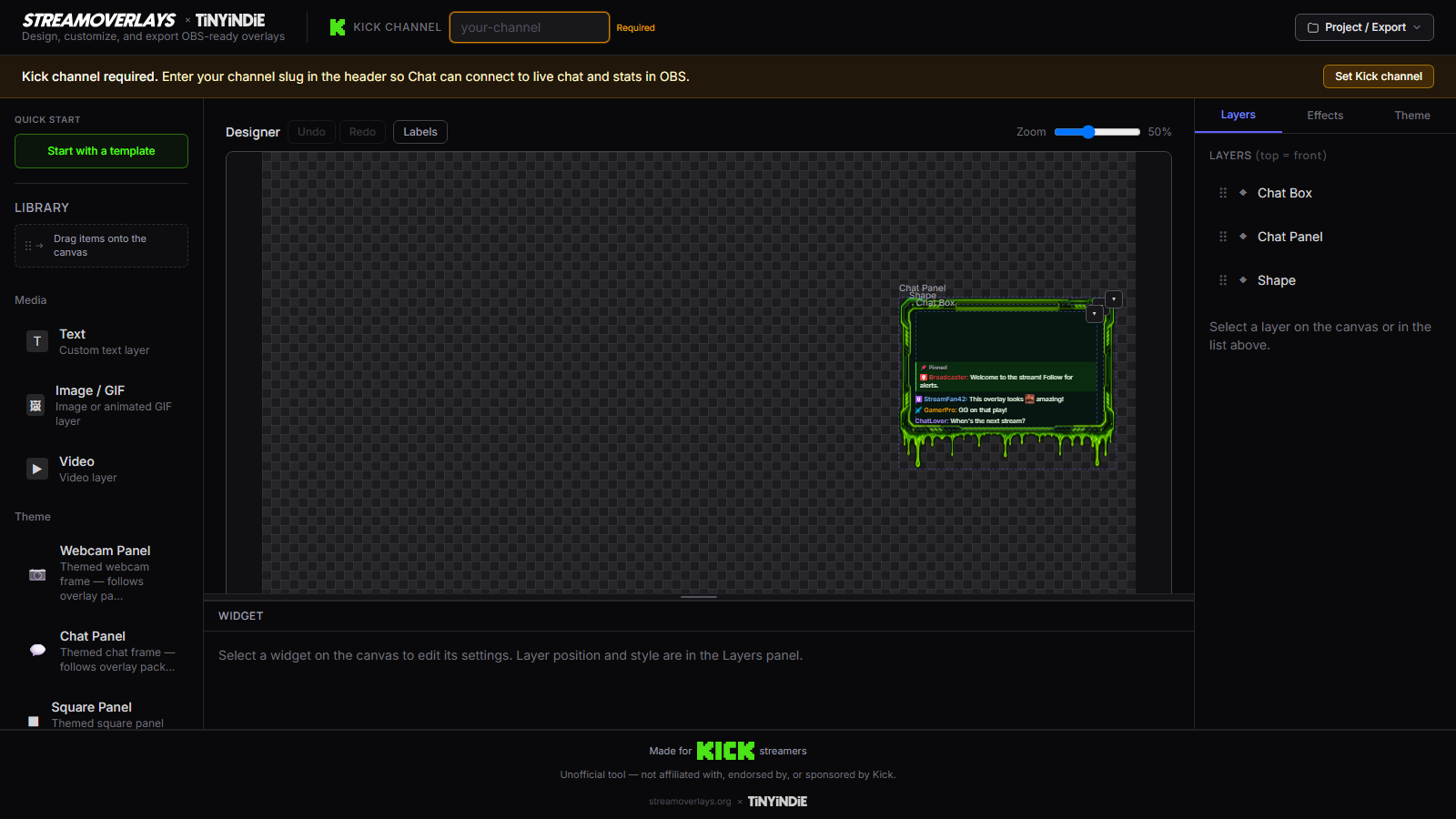
You need a stream overlay that looks intentional on camera — chat that matches your vibe, a Starting Soon screen that isn't a gray default, maybe stats when you're Just Chatting. You don't need another $60 pack with twelve layouts you'll never open.
Stream Overlays is a free stream overlay generator: choose a template, wire your Kick channel, customize branding, export HTML for OBS. The stream graphic and live chat live in one file you keep.
Stream overlay generator = speed to live
"Generator" means we optimize for getting you live, not infinite canvas tinkering:
- Template matches your stream format (chat sidebar, gaming frame, Starting Soon)
- Kick channel + theme pass
- Export
- OBS Browser Source
- Go live
If you want a deeper maker workflow with more narrative control over composition, see the stream overlay builder. If you think in OBS sources first, the OBS overlay generator frames the same fast path with Browser Source language.
How to generate your stream overlay
- Browse templates or open the builder and load Kick chat for the quickest win.
- Pick the layout for tonight's stream — gaming, Just Chatting, or Starting Soon. Our template guide breaks down the tradeoffs.
- Enter your Kick slug and adjust colors/fonts so the overlay matches your stream brand.
- Export self-contained HTML and save it outside Downloads — e.g.
Documents/StreamOverlays/. - Add Browser Source in OBS, enable local file, run through the go-live checklist.
When to use the stream overlay generator
Use this lander when you describe the problem in stream terms:
- "I need a stream overlay for Kick"
- "My stream looks unfinished compared to other Kick creators"
- "I want stream overlays for OBS without a subscription"
Skip the pack store treadmill. Static PNG frames can't scroll live chat. Cloud widget hosts can be heavy when you just want one clean HTML file. This generator ships the file.
Make → Export → Kick without lock-in
Make the overlay — design in the browser, not in a marketplace cart.
Export the file — HTML/ZIP for OBS Browser Source. Yours on disk; no export ransom.
Kick without lock-in — live chat and stats for Kick channels, portable HTML, actually free.
Templates are on-ramps — Starting Soon for pre-stream, chat templates for live — each opens ready to customize.
Stream-first, OBS-ready
Your audience sees a stream; OBS sees a Browser Source. We bridge both: stream overlay language here, OBS setup guides when you're at the source panel. The export is the same self-contained HTML either way — one coherent branded layer instead of a frame from Canva plus a chat widget from somewhere else.
FAQ
Does this work for Twitch or YouTube?
The product is Kick-first today — chat and stats wire to Kick channels. The overlay file works in OBS Browser Source on any platform; live data is Kick-native.
What is a stream overlay vs an OBS overlay?
Same file, different search language. Streamers say stream overlay; OBS users say Browser Source overlay. We export HTML for OBS either way.
Can I generate a Starting Soon screen and a live layout?
Yes — pick the Starting Soon template for pre-stream, export, then generate your live chat or gaming layout as a second file. Two exports, two scenes.
Is generating really free?
Yes. Template, customize, export — no account wall on the core loop. Monetization never blocks finishing your overlay.
Ready to build your overlay?
Pick a template, customize it, and export a self-contained HTML file for OBS.