Free OBS overlay generator — template to Browser Source in minutes
Generate a custom OBS overlay from a Kick-ready template, tweak colors and channel, and export self-contained HTML you drop into Browser Source. No account. No pack purchase.
You searched for an OBS overlay generator because you need something on screen tonight — not another marketplace pack that ships static PNGs and locks you out of the chat layer.
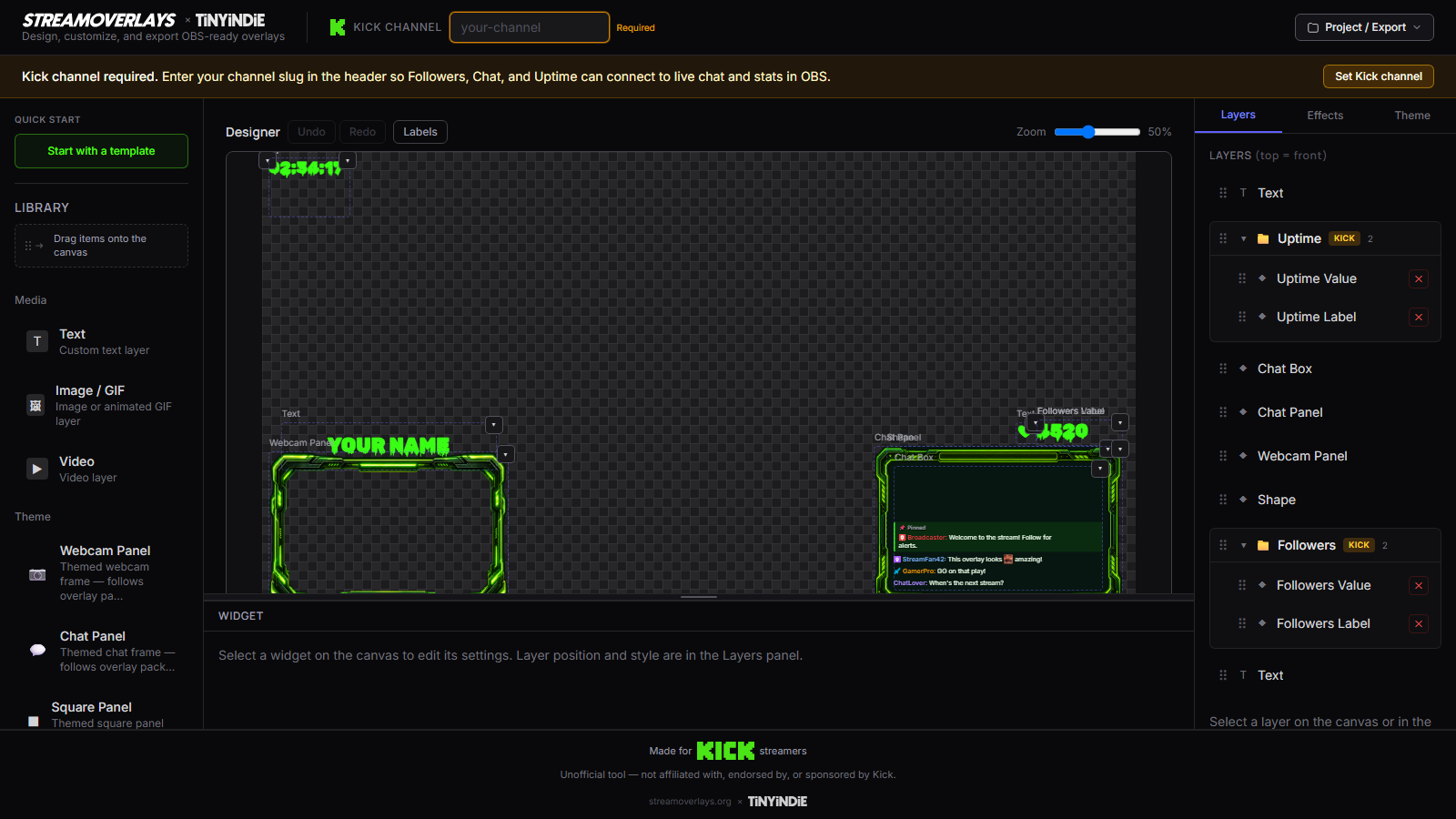
Stream Overlays is a browser tool that generates a real OBS Browser Source file: pick a Kick-ready template, set your channel and colors, export HTML, point OBS at the local file. The overlay lives on your machine. Free.
Why HTML beats another OBS pack
Paid packs look good once. The moment you want different chat placement, accent colors, or your Kick slug wired in, you're back to Photoshop or buying again.
A generated HTML overlay gives you:
- Live Kick chat inside the graphic — not a separate widget duct-taped on top
- Editable branding — fonts, colors, channel name without reopening a PSD
- A file you own — backup, duplicate scenes, no subscription to keep it running
How the OBS overlay generator works
- Open the builder or start from a Kick chat template if you want the fastest win.
- Enter your Kick channel slug so live chat and stats wire up in the preview.
- Adjust theme colors and fonts until the overlay matches your brand — generators are built for quick tweaks, not pixel surgery.
- Click export and save the self-contained HTML (or ZIP with assets) somewhere stable on disk.
- In OBS, add a Browser Source, enable Local file, and browse to your export. See our OBS setup guide for dimensions and performance tips.
When to use the generator (not the builder)
Choose this page when your job is speed:
- First stream on Kick and you need a chat sidebar that doesn't look like a default widget
- Replacing a stale pack with something you can re-export after a rebrand
- Testing a layout tonight before you invest time in a custom composition
You are not "settling." Templates get you 80% pro. Export still ships a full Browser Source file. If you later want more control over layout zones and branding depth, graduate to the OBS overlay builder — same product, different on-ramp.
Make → Export → Kick without lock-in
Make the overlay in the browser — not by browsing a storefront for hours.
Export the file — HTML or ZIP ready for OBS. No cloud host required for your layout to render.
Kick without the lock-in — channel, chat, and stats are wired for Kick streamers. Portable HTML, not a dashboard you can't leave.
Templates are on-ramps — every template opens preloaded in the builder. Generate from chat, gaming, Just Chatting, or Starting Soon and customize what matters.
OBS-specific framing
OBS streamers care about one integration point: Browser Source. This generator exists for that workflow. No Streamlabs account, no remote embed URL that breaks when a host changes policy. Local file, your SSD, your scenes.
Pair your generated overlay with our go-live checklist so export path, scene order, and shutdown-when-hidden settings are sorted before you hit Go Live.
FAQ
Do I need an account to generate an OBS overlay?
No. Open the builder, pick a template, customize, and export HTML. The core loop is free with no signup wall.
Is this a PNG pack or a live overlay?
You export self-contained HTML for OBS Browser Source — live Kick chat and stats run inside the file, not a flat image you can't edit.
Will the generated file work offline in OBS?
Layout and styles load from your local file. Live Kick chat needs internet during the stream because it pulls from Kick's API — same as any live chat widget.
How is a generator different from a full overlay builder?
This page is the fast path — template, light customization, export tonight. If you want deeper layout control, use our OBS overlay builder page instead.
Ready to build your overlay?
Pick a template, customize it, and export a self-contained HTML file for OBS.